| Software: |
|
| |
 |
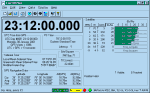
Install Tac32Plus for Windows: Run or download the Tac32Plus installation file by clicking the icon to the left. |
|
USB Drivers for the CNS Clock II: Version 2.12.28 (30-Aug-2017).
Uncompress this library file to a temporary location and use one of the newly created directories to load the USB driver when Windows detects new hardware or use with the update driver function to change to the latest USB driver. The directory "USB Driver" supports 32-bit and 64-bit versions of Windows XP, Windows Server 2003, Windows Vista, Windows Server 2008, Windows 7, and Windows Server 2008 R2.
The directory "USB Driver Old - Win 98 and ME" supports Windows 98 and Windows ME. |
 |
GPSTime for Windows: Version 1.1.1 (18-Sep-2023).
GPSTime is a replacement for Tac32Plus. It is written using the Qt development environment so as to be able to be fielded on multiple operating systems. GPSTime is currently only available as a 64-bit application and has only been tested on Window 10/11 and Ubuntu 22.04.3 LTS Linux. This is the Windows version. The passcode is the same as the current version of Tac32Plus. Please try it out and report your experiences to Rick at CNS Systems, Inc.
Version 1.1.1 changes since 1.1.0:
- Update to match Tac32Plus Version 2.7.34.
- Correct the parsing of model numbers in the @@Cj message.
|
|
Install GPSTime for Linux: Version 1.1.1 (18-Sep-2023).
This release of GPSTime software for Linux has been developed and tested on Ubuntu Desktop 22.04.3 LTS using the Wayland windows manager (not X11). The distribution file is in deb format that is designed for Debian Linux and its derivatives such as Ubuntu. This release may work on other such releases, but it has not yet been tested. If you test this release, please let us know. Constructive comments are encouraged.
To install, download this DEB installation file by clicking the icon to the left. Change to your local download directory and see that the file is present there. Then check the file integrity with this command: dpkg -c GPSTime-1.1.1-Linux.deb. If all is good, install with this command: sudo dpkg -i GPSTime-1.1.1-Linux.deb. GPSTime will be installed in the /opt systems directory that is reserved for the installation of add-on application software packages. To remove GPSTime enter the command sudo dpkg -r GPSTime.
For Linux users, be sure the current user is a member of the "dialout" group. This is needed to give access to the serial ports. The easy way to do this is with the following command issued by a user with administration privileges: sudo usermod -a -G dialout USERNAME
To run the program, click on the GPSTime icon in the applications screen. To run from the command line enter dpkg dpkg /opt/GPSTime/bin/GPSTime. The first actions are to enter the passcode in the about window and to select the correct serial port in the GPS Receiver Serial Port Settings dialog that is accessed from the menu item Edit / Select GPS Interface.
|
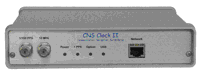 |
TCPIP Discoverer: This utility can help find a CNS Clock II when you don't know its current IP address. It listens to port 30303 for an information packet containing the CNS Clock II's current hostname, MAC and IP addresses. Just run the executable "tcpip_discoverer.jar" and you will see a windows screen. Press the "Discover Devices" button to solicit a response from the CNS Clock II. Otherwise you will see an unsolicited response on power up or on configuration change. |
Documents: |
 |
The Documentation for Tac32Plus and the CNS Clock II is available in Adobe format.
To download right click on the button to the left and choose to save the target as a file. |
|
The Documentation for Tac32Plus and the original CNS Clock is available in Adobe format.
To download right click on the button to the left and choose to save the target as a file. |
 |
The TIC Documentation
for Tac32Plus is available in Adobe format.
To download right click on the button to the left and choose to save the target as a file. |
 |
The documentation files require Adobe Acrobat reader. |
Revisions: |
Latest
Version:
2.7.36 |
Version 2.7.36, March 18, 2024
New Features:
- Added support for decoding the @@Eq message.
- For NMEA messages that are not decoded, allow printing in the raw data
window and logging so all NMEA messages can be viewed.
|
Version:
2.7.35 |
Version 2.7.35, January 8, 2024
New Features:
- Added decoding for @@Co messages.
- Added support for 6-channel VP receivers.
|
Version:
2.7.34 |
Version 2.7.34, September 18, 2023
Corrections:
- Correct the parsing of model numbers in the @@Cj message.
- Change web and email addresses.
|
Version:
2.7.33 |
Version 2.7.33, May 27, 2023
Corrections:
- Bug fixes, improved stability and efficiency.
|
Version:
2.7.32 |
Version 2.7.32, October 31, 2022
Corrections:
- Correct the identification of GPS module firmware version numbers. The
SSR series GPS modules changed the way they report this information
starting with SSR firmware version 3.55. Incorrect version number
identification effects certain internal features like whether to
activate the short PPS feature for some receivers.
|
Version:
2.7.31 |
Version 2.7.31, July 04, 2022
New Features:
- Implement support for the new @@SP "Second PPS Rate" command and response. This sets the secondary PPS to frequencies between 1Hz and 1MHz for SSR-128 receivers that support this feature (some hardware with firmware version 3.55 and above).
Corrections:
- When using the @@Sc manual command, make the Satellite Selection part of the GPS Mode Selection window and the saved data track any changes.
|
Version:
2.7.30 |
Version 2.7.30, September 27, 2020
Corrections:
- When in UBX binary mode, correct the mode settings and transitions between Navigation, Position Hold (0D) and Survey. Note that when terminating a survey early, the mode will return to position hold before it can be set to navigation, regardless of the command settings.
|
Version:
2.7.29 |
Version 2.7.29, July 22, 2020
Corrections:
- Correct the calculations used to resolve the automatic sawtooth
correction add vs. subtract determination.
- Code cleanup - Eliminate unused variables.
|
Version:
2.7.28 |
Version 2.7.28, February 11, 2020
Corrections:
- Improve the decoding of @@Bn and @@En messages.
|
Version:
2.7.27 |
Version 2.7.27, November 9, 2019
Corrections:
- Revise the decoding of special emulation modes for the SSR series
receivers and add a new mode.
|
Version:
2.7.26 |
Version 2.7.26, November 2, 2019
Corrections:
- Revise the detection of receiver types to so the special emulation
modes of the SSR series receivers are correctly detected.
|
Version:
2.7.25 |
Version 2.7.25, June 12, 2019
New Features:
- Enable some supported features in the GPS Receiver Mode Selections
window for the CNS Clock II and other SSR receivers in
Motorola Binary mode. This includes Satellite Activation and
Application Type.
- Enable and implement self-survey in u-blox UBX mode.
Corrections:
- Change the file extension of GPS receiver PVT logs from "txt" to "csv"
and correct the column header for the PVT log files.
- Correct the encoding of baud rates for the UBX pass-through mode.
|
Version:
2.7.24 |
Version 2.7.24, May 20, 2019
New Features:
- Provide support for short PPS on CNS Clock II, rev L and newer,
starting with serial number 404409.
|
Version:
2.7.23 |
Version 2.7.23, October 9, 2018
Corrections:
- Many minor bug fixes.
- Added support for legacy Motorola commands and messages, including @@Aa, @@Ab, @@Ac, @@Ad, @@Ae, @@AF and @@En.
- Support both long and short versions of UBX MON-HW messages.
- Corrected the logic for going from u-blox modes to Motorola binary mode.
- Add a decoder for the UBX-TIM-DOSC message.
- Add a "-- PPS --" tag to the raw data dialog.
|
Version:
2.7.22 |
Version 2.7.22, February 19, 2017
Corrections:
- Provide support for the TAPR TICC time interval counter.
- Correct an error that caused the TIC serial port to start with default
parameters (baud rate, etc.) instead of the saved parameters.
|
Version:
2.7.21 |
Version 2.7.21, October 07, 2016
Corrections:
- Corrected an error introduced in the previous version that incorrectly identified the SSR-6Tr and SSR-6Tf receivers as SSR-M8T. This resulted in some inappropriate features being activated.
|
Version:
2.7.20 |
Version 2.7.20, October 02, 2016
Enhancements:
- Add satellite constellation selection for SSR-8 GNSS receivers. This allows selection of GPS, GLONASS, Galileo, Beidou, QZSS and/or SBAS (WAAS, etc.).
- Implement the Leap Indicator (LI) sub-field in the first word of the NTP protocol message.
- Add automatic polling for leap second data when in uBlox binary mode (UBX).
- Decode the @@Cb almanac data message so it can be displayed and logged.
- For SSR (uBlox) series receivers when in UBX binary mode:
- Reset the Date/Time/PPS alignment source to UTC on initialization.
- Timing setup delays are now working.
- Activate the 1 / 100 PPS selection mode when in UBX binary mode.
Note: these receiver modules are used in most CNS Clock II units since sn 404293 in Jan 2013.
- Enable dynamic mode settings for SSR (uBlox) receivers in both Motorola and UBX binary modes. Auto select based on navigation vs. position hold and self-survey.
- Separate the identification of the SSR-6Tf and SSR-6Tr receiver variants and add identification of SSR 'Plus" receivers so further feature conditioning can be done.
- Add an auto-restart switch that restart messages on an SSR series receiver if they stop unexpectedly as some SSR receivers do not restart their messages after a power interruption. This selection will also detect a long period of no valid results and issue a reset to the GPS module followed by a self-survey command to automatically start a receiver correctly when it has been moved far enough to get confused about its location.
Corrections:
- Set the main screen to full size for initial installation.
- Set "Load reference location on program startup" in the "Set Reference Location" manual entry dialog to checked (true) on first use after installation.
- Improved the firmware upload capability for the SSR Plus series receivers.
|
Version:
2.7.19 |
Version 2.7.19, August 03, 2015
Enhancements:
- Added the @@Wq "Change SW Part Number" command for the SSR receivers.
|
Version:
2.7.18 |
Version 2.7.18, July 14, 2015
Enhancements:
- Added the @@Wp "Change HW Part Number" command for the SSR receivers.
|
Version:
2.7.17 |
Version 2.7.17, June 03, 2015
Enhancements:
- For SSR-M8 series receivers be sure SBAS always is turned off for position hold mode and on for navigation mode.
- Set the default baud rate for SSR series receiver's UBX modes to 57600 to match the new features in the V2.17 SSR firmware.
- When switching SSR receiver modes ensure the @@Wb command is sent before changing the serial port characteristics.
- Do not turn on @@Ek during initialization unless the receiver is an 8-channel model, not desired for 6 or 12 channel receivers.
Corrections:
- Allow the Motorola protocol receivers in binary mode to be correctly identified at any baud rate selected in the serial port setting dialog.
- Change the antenna status "Ant NV Short" (in Red) to "Ant No Pwr" (in Yellow).
|
Version:
2.7.16 |
Version 2.7.16, Apr 14, 2015
Enhancements:
- Update the decoding of @@Ca and @@Fa self-test messages and include the SSR receivers in the decode list.
- Update the decoding of @@Bk and @@Ek messages to show DOP values.
- Update decoding of @@Ws.
- Added the @@Wm "Change Model Number" command for the SSR receivers.
- Accommodate free format model numbers when searching for the receiver type. The correct type will be identified even if it is surrounded by other characters in the model number field.
- Corrected the detection of leap second pending status for newer model receivers using Motorola format @@Gj message instead of the older @@Bj message.
Corrections:
|
Version:
2.7.15 |
Version 2.7.15, Mar 24, 2015
Enhancements:
Corrections:
- Correct an indexing error in the manual command dialog window. This primarily impacts the SSR-6T series receivers but it also permits greater flexibility in managing these lists in the future.
|
Version:
2.7.14 |
Version 2.7.14, Mar 22, 2015
Enhancements:
- Label all satellite types in the signal strength bars. This is especially useful in multi GNSS receivers such as the SSR-6T, SSR-M8F and SSR-M8T receivers.
Corrections:
- Eliminate references to uBlox LEA6T where these references properly apply to all supported uBlox-based receivers, LEA-6T-0, LEA-6T-1, LEA-M8F and LEA-M8T.
|
Version:
2.7.13 |
Version 2.7.13, Mar 20, 2015
Enhancements:
- Improve handling of firmware upload function for SSR receivers.
- Add version number to the main frame title bar.
Corrections:
- Correct the exponential scale factor calculation and normalization for very small time values, less than 100 nanoseconds. This applies to Time interval counters using scientific or engineering notation, such as the Berkeley Nucleonics Model 1105.
|
Version:
2.7.12 |
Version 2.7.12, Feb 16, 2015
Enhancements:
- Add support for the new SSR-M8F and SSR-M8T receivers
- Added @@Sx commands to support the new SSR-M8F and SSR-M8T receivers.
- Add the ability to load new firmware into SSR modules that
have the bootloader using external HEX files.
- The Manual Command Dialog now remembers its last position on the
screen.
Corrections:
- Correct the processing of the @@Gj message so that leap second pending
messages are only reported if the data is associated with a future event.
- Fix @@Ba and @@Ea message display formats so they are like @@Ha.
- Local time is not supported by uBlox modules so disable for SSR boards.
- The seconds field in @@Ha, @@Ba, @@Ea, @@Hb now has a two digit
integer field with leading zero.
- Satellites with Eb/No = 0 are no longer displayed to avoid
conflict between the @@Ba, @@Ea, @@Ha messages and the @@Bb message.
- Implemented a mechanism so @@Ba, @@Ea and @@Ha can coexist without
fighting over control of date elements and the and satellite screen.
- Reworded the DOP status line for six and eight channel Motorola
receivers to prevent overflow and missing data on the display.
|
Version:
2.7.11 |
Version 2.7.11, Aug 22, 2012
Enhancements:
- Add the @@Hr command in the manual command dialog and add a decoder
for the @@Hr message.
- Added support for TICs with TCP/IP interfaces, especially the Agilent
53220A/53230A 350 MHz Universal Frequency Counter/Timer and the
Berkeley Nucleonics Corporation Model 1105 400 MHz Universal Counter.
- Allow any serial port settings for most modes, This is to support
unusual hardware configurations like a modified HP Z3801A with odd
parity, 7 data bits, 1 stop bit, no handshaking, and 19200 baud.
- Update the self survey warning text message.
Corrections:
- Fix the default value for the @@Ga command in the manual command dialog.
- Fix the default value for the @@Gk command in the manual command dialog.
- Changed the default receiver delay to 37 nsec to match the newer CNS Clock IIs.
- Fixed the calculation of checksums for GPS binary log files.
- Corrected an error handling TIC data when the scaling factor is "s" (seconds). This error also corrupted the TIC log.
- Correct a time initialization error for the Synergy SSR_6T receiver.
- Correct a rounding error that caused a one second error in the time on rare occasions with new Synergy SSR_6 series receivers.
|
Version:
2.7.10 |
Version 2.7.10, Feb 10, 2012
Enhancements:
- Improve detection, initialization and mode switching for Synergy SSR-6T receivers.
- Implemented a decoder for the @@Bd message.
- Provide NMEA support for u-blox receivers in the Manual Command dialog window.
- Implemented a checkbox in the GPS Receiver Serial Port Setting dialog box that will minimize the GPS receiver initialization. Use of this capability speed up the program startup and will preserve some special settings that may be in effect before start-up. However, the receiver mode (binary, NMEA, etc.) cannot be changed when this capability is activated.
Corrections:
- Correct the management of Motorola and iLotus receivers when switching between binary and NMEA modes.
- Reinitialize the manual command dialog entries when changing GPS receiver modes.
- Set the @@Ci default parameter correctly in the manual command dialog.
- Assure that the Set Reference Location selections work correctly for receivers in the Motorola binary mode. These receivers must be in navigation (3D) mode before the position data is loaded and then must be returned to the selected mode. This is now handled automatically.
|
Version:
2.7.9 |
Version 2.7.9, Mar 22, 2011
Enhancements:
- Implement support for the i-Lotus TX Oncore receiver.
- Implemented the new TELNET Get/Set Reference Position command.
- Provide support for the Synergy Systems SSR-6T receiver. This
receiver has the same footprint as an M12 series Motorola/iLotus
receiver. The SSR-6T has a uBlox LEA-6T receiver that operates in
uBox NMEA or Binary mode. A version of this board has
a processor that permits emulation of M12 series messages as well as
other modes. Added the @@Wb message to switch the SSR-6T from M12
to uBlox message mode. Added "@@Wc" to switch to the boot loader.
- Added a new checkbox in the manual reference location dialog box
titled "Load reference location on program startup." The default
is off.
- Increase the number of recognized COM ports from 64 to 128.
- Added a mode for CMC Superstar Rx Only.
Corrections:
- Correct an error that impeded correct startup in Motorola Binary if
the serial port is set to other than 9600 baud.
- Corrected the order of fields in the @@Ha raw data output. Added
reserved fields for completeness.
- Make Vehicle ID field visible at the end of the @@Ha decoded message
even if blank by adding quotes
- Changed the sawtooth correction message at the beginning of the
averaging files to differentiate between software sawtooth corrected
data, raw data and external TIC data used in the file.
- Stop @@Hb from updating system parameters as it conflicts with @@Ha.
- Changed the manual command dialog box to non-model so that it now
allows the user to perform other functions outside this dialog box
while the manual command dialog box is open.
- Corrected an error that caused a program crash when satellite PRN
numbers greater than 32 were detected. These PRNs are associated
primarily with augmentation satellites.
- Corrected a number of bugs that will improve the operation and
stability of Tac32 and Tac32Plus.
- Ensure that all unused rows in the satellite data table are erased.
- Change the default elevation mask for Precision Timing mode to
10 degrees for all receiver types.
- The TELNET function was not working in the UNICODE version of Tac32Plus.
This is now fixed.
- Corrected the header and data fields for the Motorola PVT format log
so that the header correctly describes the log contents. Changed the
order of some fields for consistency between entries created by the
@@Ha and the @@Hb messages from 12 channel receivers such as the
M12M used by the current generation of CNS Clock II clocks.
- Improve the performance of the Navigation Status and Antenna
Status panes in the Status Bar.
|
Version:
2.7.8 |
Version 2.7.8, Jul 26, 2009
Enhancements:
- Implement support for the u-blox LEA-5T.
Corrections:
- Some serial port controllers would not work with the Time Interval
Counter. This is fixed.
- Some serial port drivers produced faulty outputs for the 1PPS
signal control lines. This is now managed correctly if it occurs.
- Spell out "Motorola" instead of using "Mot" (e.g., "Motorola Binary"
replaces "Mot Bin".
- Improved the efficiency of processing certain Motorola Binary messages.
- Eliminate intermittent exception when closing the program.
|
Version:
2.7.7 |
Version 2.7.7, May 08, 2009
Corrections:
- A configuration management error prevented the fix that allows use of any baud rate for any receiver from 2.7.6 to function on some variations of the software. This is now fixed.
|
Version:
2.7.6 |
Version 2.7.6, Jul 22, 2008
Enhancements:
- Merge Tac32Multi into Tac32Plus
- Updated the CMC hardware-software identification message (#45) decoder to reflect more recent message data specification and to display more information.
- Allow use of any baud rate for any receiver. New models of some receivers are implementing new data rates.
Corrections:
- Correctly display PRN32 on the Satellite Az-El Chart.
- Fixed a memory leak.
|
Version:
2.7.5 |
Version 2.7.5, Nov 11, 2007
Enhancements:
- Recognize the iLotus built M12M based on the new SiRF copyright notice.
Corrections:
- Change the "Bad Almanac" message to "Cold Start or Bad Almanac" for the M12 series receivers.
|
Version
2.7.4 |
Version 2.7.4, Aug 23, 2007
Enhancements:
- Added 100PPS support for the CNS Clock II. The CNS Clock II is unique
in that it provides a precision 1PPS even when in 100PPS mode so that
normal operations can continue in 100PPS mode.
Corrections:
- Correctly identify the new iLotus M12M receiver modules. These modules
are designed by Motorola but built by iLotus.
- Added interim support for the SIGNAV TM3-1 receiver which is intended
to be a Motorola M12 Timing receiver clone.
- CMC (Marconi) message receive was broken in Version 2.7.3 when
converting to unicode and is now fixed.
- The CMC receiver's DGPS Status message was being derived from the
wrong message thus giving false indications. Also, the CMC DGPS status
tells if DGPS is enabled, not if it is being received, so the display
message was changed.
- In decoding the CMC message 33 it was found that the satellite table
was incompletely cleared resulting in unused satellites remaining on
the screen and occasionally even showing duplicate satellites. This
is now fixed.
- Identify CMC Allstar and Superstar receivers separately. Improve
CMC receiver initialization, especially disabling undesired
messages so that the Superstar correctly displays its data on
TAC32's screens.
- Fix the default size of the main window for first time users.
|
Versions
2.0 - 2.7.3
1.0 - 1.2.8 |
For earlier release notes click on the Version 1 or 2 aircraft icons below. |

 |
Fly off to the Release Notes pages
The release notes archive is on separate pages.
Click on the airplanes to get there. |